
About
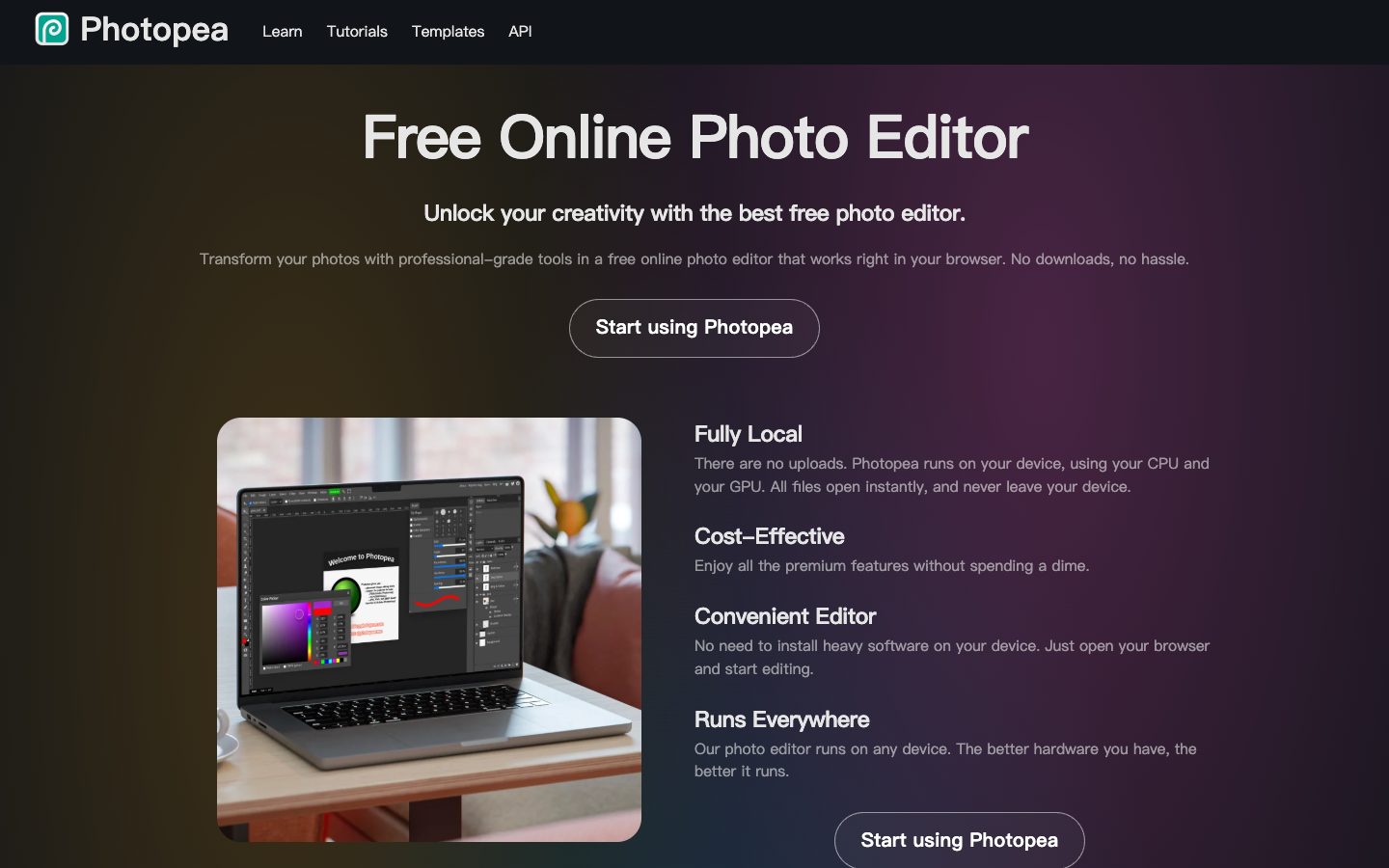
Photopea is a browser-based image editor for raster and vector graphics. Core editing runs locally in the browser and can continue offline after loading. This local-processing scope does not extend automatically to optional AI services, plugins or cloud-storage connections, which may require network access and data transmission. The editor supports PSD as its main format, many image/vector/document formats, layers, masks, smart objects, adjustment layers, paths, filters, RAW files, vector graphics, video editing, automation, and scripting. It also offers AI helpers such as one-click background removal and text-described content replacement. Photopea is a general design editor with AI features, not an AI-only image generator.
✨ Key Features
- Local browser editing — Run the editor on the user's device using CPU/GPU; ordinary local editing processes files on the device; external-service actions have separate data flows.
- PSD workflow — Open and save PSD files, including layers and other editing structure.
- Raster and vector tools — Edit photographs, illustrations, logos, icons, webpages, and other graphics in one workspace.
- Professional layer system — Use layers, masks, layer styles, smart objects, adjustment layers, channels, paths, and artboards.
- Selections and transformations — Work with selections, refine edges, free transform, puppet warp, liquify, and advanced editing tools.
- Filters and color management — Use levels, curves, blur, filters, multiple color spaces, and 8/16/32-bit color depth.
- Broad format support — Open or save PNG, JPG, GIF, WEBP, SVG, PDF, AI, AVIF, TIFF, MP4, CDR, PDN, EPS, INDD, Figma, and many other formats.
- RAW processing — Open DNG, CR2, CR3, NEF, ARW, RW2, RAF, ORF, and FFF files and adjust exposure, color, contrast, highlights, and shadows.
- AI image helpers — Remove a background with one click and replace part of an image from a text description through AI tools.
- Automation and extensions — Use actions, scripts, variables, templates, API embedding, and optional cloud-storage connections.
- Offline and privacy-oriented use — Continue core editing offline after loading the app; online AI services and authorized cloud-storage actions are separate.
💳 Pricing
- Free account/editor — Photopea can be used without payment or an account, with the core editor monetized primarily through advertising.
- Premium account — A paid Premium account removes advertisements and may provide other benefits; the exact current amount is shown in Photopea's Account window rather than a stable public pricing table.
- API embedding — The official API documentation says basic API usage is free; distributor/white-label arrangements that hide ads and branding are account-based.
- Self-hosted version — Photopea documents a self-hosted package at $500–$2,000/month, generally paid one year in advance, with updates governed by the vendor's terms.
- Schools/distributors — School and distributor/white-label pricing is quoted or starts from a separate annual fee depending on the arrangement and expected usage.
Prices, AI limits, Premium benefits, and commercial embedding terms should be confirmed in the account or by contacting Photopea. Since files are local, closing the browser without saving can lose unsaved work.
⚖️ Alternatives Compared
| Product | Best for | Public pricing | Key difference |
|---|---|---|---|
| Photopea | Browser-based PSD, raster, and vector editing | Free with ads; Premium/API/hosting options vary | Local core editor with broad format support; optional online services have separate requirements |
| Adobe Photoshop | Professional desktop/cloud image production | Paid subscription; see official pricing | Larger commercial ecosystem and advanced generative features, but requires an installed/subscription workflow |
| GIMP | Free, open-source desktop raster editing | Free and open source | More extensible desktop software, without Photopea's browser-first and PSD compatibility workflow |
| Pixlr | Quick browser photo and design editing | Free and paid plans; see official pricing | Simpler browser editing experience, while Photopea targets deeper Photoshop-style document editing |
🎯 Use Cases
- PSD editing without installation: Open and continue layered Photoshop documents in a browser.
- Social and marketing graphics: Resize photos, create banners, thumbnails, posts, and promotional images.
- Logo and vector work: Edit SVG and other vector assets for icons, logos, and illustrations.
- Photo retouching: Use selections, masks, filters, RAW adjustments, and color controls for image cleanup.
- Background removal and replacement: Use AI helpers for quick background removal or text-described replacement, then review manually.
- Web and UI assets: Prepare webpage graphics, artboards, exports, and compatible design files.
- Education and training: Teach layered image editing without requiring students to install software.
- Offline or privacy-sensitive editing: Use core local tools after loading and avoid external AI, plugins or cloud connections when files must remain on-device.
- Embedded editing: Add Photopea to a website through the API or use a distributor/white-label arrangement.
Photopea may be used with confidential images and locally stored files. Verify that any optional cloud-storage connection has only the required scope, save work before closing the browser, and review AI edits and licensing requirements before commercial publication.
Photopea Website Overview
Photopea has an Ahrefs Domain Rating of 83 and falls within Cloudflare Radar's global top 50,000 popularity bucket. This bucket is unordered, and neither signal represents actual visits.
- Domain rating
- 83
- Popularity position
- Top 50,000
- Primary category
- Unavailable
- Ranked locations
- 0
Ahrefs
Cloudflare Radar
Cloudflare Radar
Cloudflare Radar
Website categories
No category data is available yet.
Top locations by rank
No location ranking is available yet.
Data coverage
Free popularity and domain-authority signals only; no estimated visits or engagement metrics are shown.
Sources: Domain Rating by Ahrefs · Cloudflare Radar · Oct 19, 2026. Cloudflare Radar data is licensed under CC BY-NC 4.0.
Similar tools
Imagvio AI
FreemiumCredit-based AI image and video studio for generation, editing, multi-image fusion, and model variations
Pixlr
FreemiumPixlr is free online photo editor with AI-powered filters, retouch, and collage tools.
Bigjpg
FreeAI image upscaling and noise reduction for artwork, anime, illustrations, and photos
Upscayl
FreemiumUpscale images with a free open-source desktop app or credit-based Upscayl Cloud.
remove.bg
FreemiumAI background removal with transparent cutouts, image credits, apps and an API