
About
123apps is a collection of browser-based tools for editing and converting video, audio, PDFs, images, documents, fonts, ebooks, and archives. Instead of presenting one general-purpose AI workflow, the service routes users to focused web apps such as video editing, screen recording, audio conversion, PDF conversion, and file extraction tools. A free account and a Premium subscription are shown on the official site.
✨ Key Features
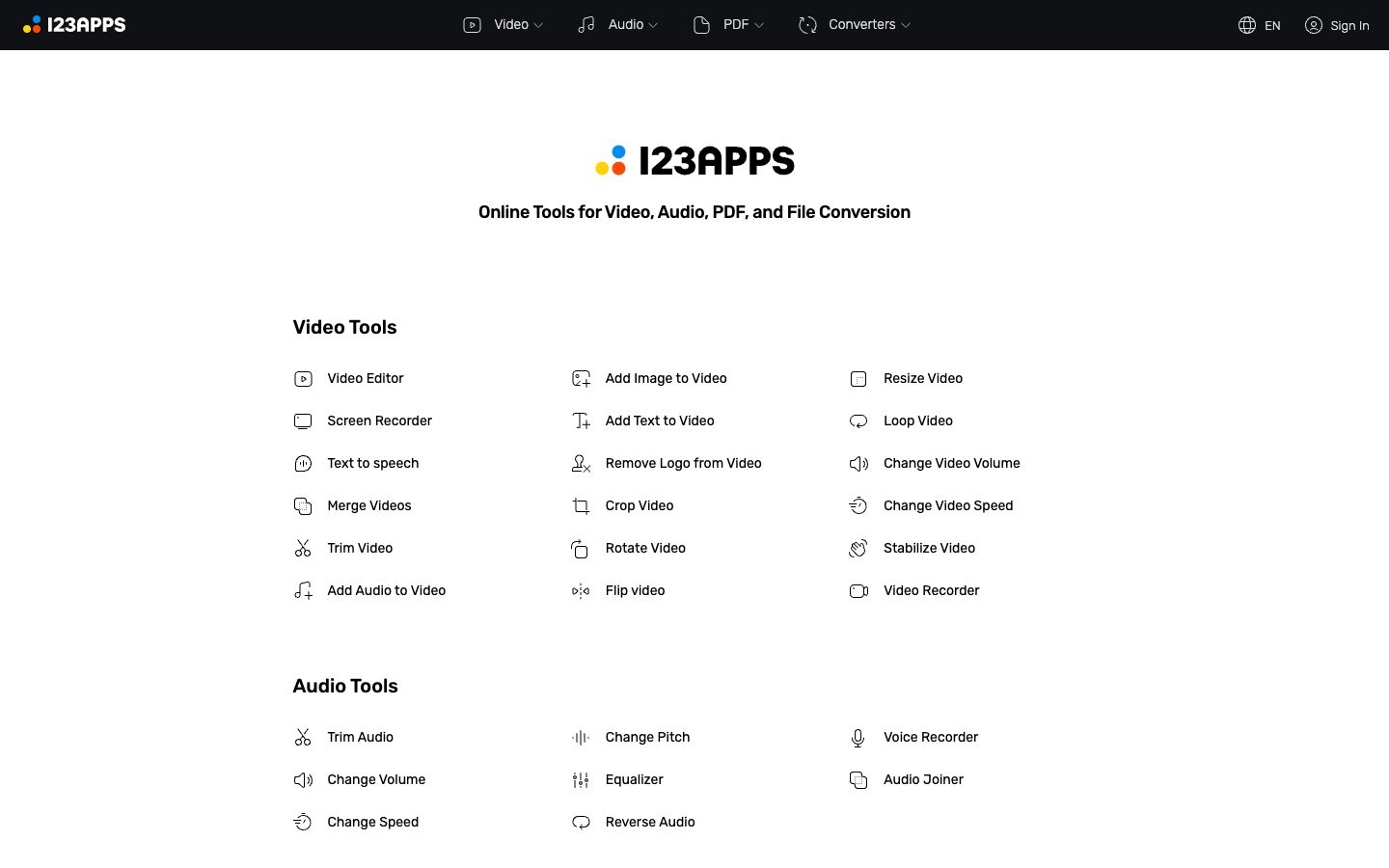
- Edit video in the browser — The video-tool collection includes a video editor plus trimming, merging, cropping, rotating, flipping, resizing, looping, speed, volume, stabilization, and adding audio, images, or text.
- Record video and audio — 123apps links to a screen recorder and video recorder, while its audio collection includes a voice recorder for capturing source material before editing.
- Process audio files — Users can trim, join, change volume, speed, pitch, or equalization, and convert audio through the linked online audio tools.
- Convert and manage PDFs — The PDF collection includes split, merge, compress, unlock, protect, rotate, page numbering, and conversion between PDF and Word, Excel, JPG, PNG, HTML, and presentation formats.
- Convert files between formats — Converter tools cover audio, video, images, documents, fonts, ebooks, and archives, so users can prepare files for a different application or delivery channel.
- Extract archives — The service links to an archive extractor for opening supported compressed files in the browser.
- Work without a local desktop installation — The tools are presented as online web apps and can be opened from the 123apps directory; supported inputs, file sizes, and processing behavior should be checked in the selected app.
- Use a single Premium subscription across apps — The official account panel advertises Premium access to 51 apps, files up to 10 GB, AI audio processing, unlimited files, no ads, and cancellation at any time.
💳 Pricing
- Free account — The site offers a free account option. The reviewed homepage does not provide one consolidated list of free-account quotas for every linked app, so limits should be checked in the selected tool.
- Premium — $6/month is displayed on the reviewed homepage for a single subscription across the apps. The page advertises access to 51 apps, files up to 10 GB, AI audio processing, unlimited files, no ads, and cancellation at any time.
- Annual billing — The account panel displays an annual option with a -33% saving indicator, but the rendered page did not expose the final annual amount. Confirm the current annual total at checkout.
- Pricing note — Individual linked apps may have their own input, output, or file-size constraints. The $6/month figure and feature list should be rechecked before purchase because prices and limits can change.
⚖️ Alternatives Compared
| Product | Best for | Public pricing | Key difference |
|---|---|---|---|
| 123apps | Quick browser-based media and document conversion | Free account; Premium shown at $6/month | One directory links focused apps for video, audio, PDF, and file conversion |
| Canva AI | Visual design and content composition | Free and paid access listed by Canva | Provides a broader design workspace, while 123apps emphasizes utility-style editing and conversion tools |
| CapCut | Social video editing | Free and paid features vary by region | Centers a full video editor and creator workflow, while 123apps separates many lightweight browser utilities |
| Adobe Podcast | Speech and podcast enhancement | Free and paid access listed by Adobe | Focuses on audio enhancement and podcast workflows rather than a multi-format conversion directory |
🎯 Use Cases
- Content creators: trim a clip, add text or audio, change speed, and prepare a shareable video in a browser.
- Podcasters: record voice, adjust audio properties, convert the result, and hand off a file to the next production step.
- Office teams: merge, compress, protect, number, or convert PDFs without installing a desktop utility.
- Students and educators: convert presentation, document, image, and PDF files for a course or submission requirement.
- Operations teams: extract archives and convert files into formats accepted by an internal system.
- Small businesses: use one Premium account across recurring file, media, and document preparation tasks where the plan limits fit.
123apps Website Overview
123apps has an Ahrefs Domain Rating of 73 and falls within Cloudflare Radar's global top 200,000 popularity bucket. This bucket is unordered, and neither signal represents actual visits.
- Domain rating
- 73
- Popularity position
- Top 200,000
- Primary category
- Unavailable
- Ranked locations
- 0
Ahrefs
Cloudflare Radar
Cloudflare Radar
Cloudflare Radar
Website categories
No category data is available yet.
Top locations by rank
No location ranking is available yet.
Data coverage
Free popularity and domain-authority signals only; no estimated visits or engagement metrics are shown.
Sources: Domain Rating by Ahrefs · Cloudflare Radar · Oct 19, 2026. Cloudflare Radar data is licensed under CC BY-NC 4.0.
Similar tools
TinyWow.com
FreemiumFree browser toolbox for PDF, file, image, video, and AI writing tasks
Visro AI
FreemiumBrowser-based AI face swapping and photo/video creation with one-time credit packs
Imagvio AI
FreemiumCredit-based AI image and video studio for generation, editing, multi-image fusion, and model variations
Wery AI
FreemiumAn AI expert studio for entertainment creation, with specialist media and productivity workflows.
Promptsref
FreemiumCurated AI prompt library and creative workspace for image and video makers