
EzImgEditor
FreeBrowser-based AI image editor for object removal, background changes, restyling, blending, and image generation
About
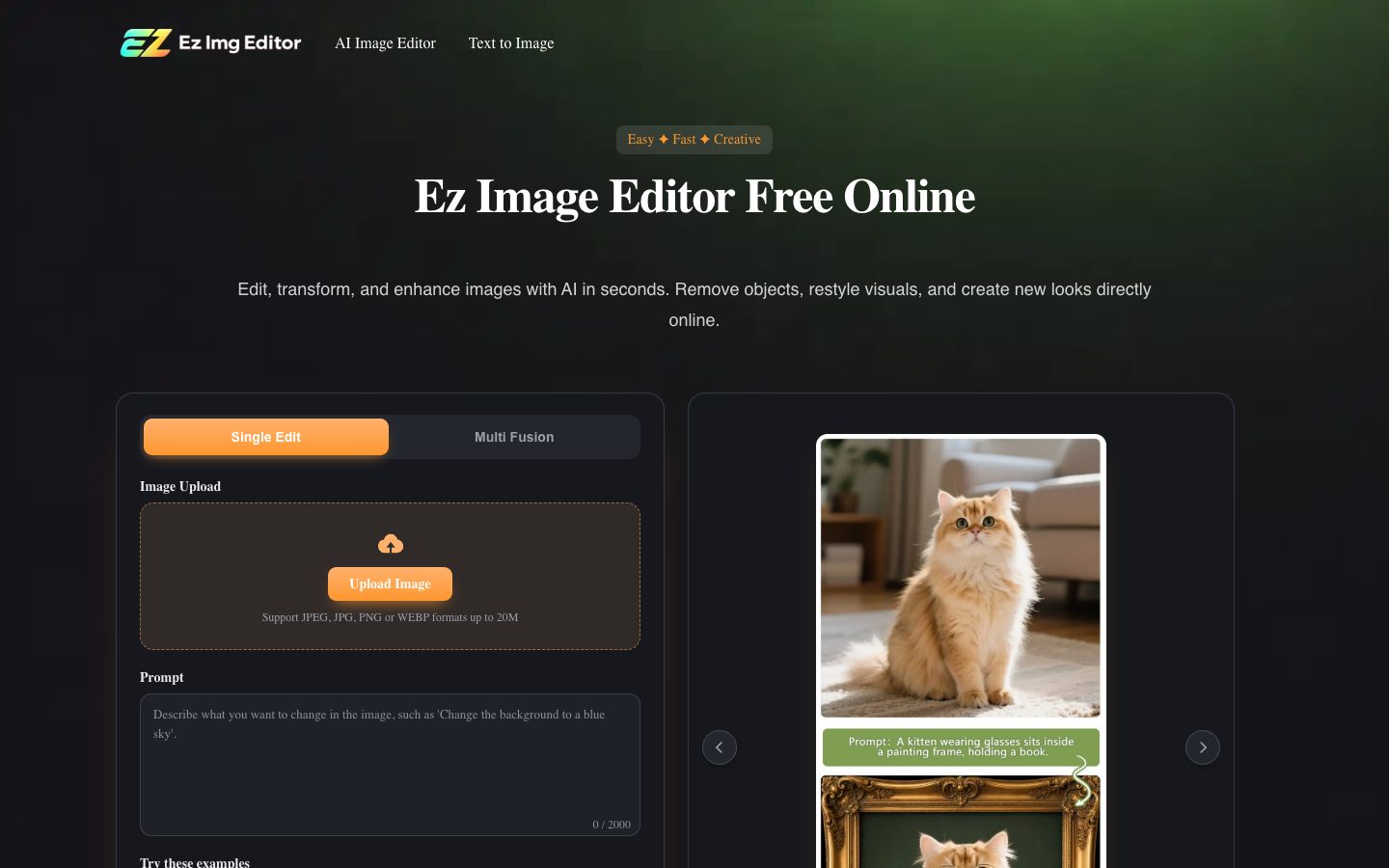
Ez Img Editor is a browser-based AI image editor for editing, enhancing, and transforming images. Its official pages describe single-image editing, multi-image blending, object removal, background replacement, AI headshots, text-to-image generation, and image enhancement. The service processes uploaded images to produce edited or generated visuals; its terms say users must have the rights to uploaded content and should review outputs before public or commercial use.
✨ Key Features
- Single-image editing — Upload one image and describe changes such as color, lighting, tone, facial detail, or creative effects.
- Multi-image blending — Combine elements from multiple photos, transfer styles, and build custom compositions.
- Object removal — Describe unwanted people, clutter, watermarks, or distractions and let the editor reconstruct the area.
- Background replacement — Generate a new scene for a portrait, product image, marketing visual, or social post.
- AI headshots — Turn a selfie into a polished profile portrait by refining lighting, facial details, and the background.
- Text-to-image generation — Create visuals from prompts with varied styles, compositions, and scene descriptions.
- Text rendering and layout control — The official generator page highlights embedded text rendering and control over object placement.
- Image enhancement — Improve image quality and refine visual details through the online editing workflow.
- Style transformation — Apply a requested visual style or mood while retaining the subject and composition where supported.
- Flexible output formats — The text-to-image page lists 1:1, 16:9, and 4:3 output ratios.
- Privacy handling — The help section says uploaded images are not used to train AI models and files are removed after processing.
💳 Pricing
The public pages reviewed do not expose a complete named plan table or stable price list. The homepage says Ez Img Editor offers free daily credits that refresh automatically, while paid upgrades are available for users who need more usage or faster processing. A related official payment article describes purchasing credit packages through the pricing flow, but does not publish a complete package catalog. Treat the exact paid price, quota, billing unit, and commercial terms as unverified until shown in the account’s current pricing screen.
- Free access — Daily credits are advertised as refreshing automatically; exact per-tool limits are not publicly listed on the reviewed pages.
- Paid upgrade / credit purchases — Available according to the official help and payment materials, but plan names and current prices were not reliably public.
⚖️ Alternatives Compared
| Product | Best for | Public pricing | Key difference |
|---|---|---|---|
| EzImgEditor | Prompt-based edits, object removal, background changes, and quick image generation | Free daily credits; paid pricing not fully public | Guided AI editing and generation in a browser workspace |
| Photopea | Layer-based raster and vector editing | Free browser editor; see official terms | Local browser processing with PSD and broad format support |
| Pixlr | Browser photo editing and creative tools | Free; Plus, Premium, Ultra and Ultra Max | Broader image, video, audio, and credit-based suite |
| remove.bg | Automated background removal | Free trial credit; pay-as-you-go, subscription, enterprise | Background removal, API, automation, and bulk processing focus |
🎯 Use Cases
- E-commerce teams — Replace backgrounds, remove distractions, and prepare consistent product images.
- Marketing teams — Create campaign variations and platform-ready visuals from existing assets or prompts.
- Recruiters and professionals — Generate profile or LinkedIn headshots from suitable source photos.
- Interior designers and homeowners — Explore room layouts and styling concepts from ideas or reference images.
- Social media creators — Enhance photos, apply styles, and adapt visuals for social publishing.
- Designers and artists — Blend multiple references and iterate on composition or visual direction.
- Print and merchandise creators — Generate posters, wallpapers, avatars, concept art, or other prompt-based visuals.
- Privacy-conscious editors — Use the browser service while reviewing its stated processing and deletion practices.
EzImgEditor Website Overview
EzImgEditor has an Ahrefs Domain Rating of 24 and falls within Cloudflare Radar's global top 200,000 popularity bucket. This bucket is unordered, and neither signal represents actual visits.
- Domain rating
- 24
- Popularity position
- Top 200,000
- Primary category
- Unavailable
- Ranked locations
- 0
Ahrefs
Cloudflare Radar
Cloudflare Radar
Cloudflare Radar
Website categories
No category data is available yet.
Top locations by rank
No location ranking is available yet.
Data coverage
Free popularity and domain-authority signals only; no estimated visits or engagement metrics are shown.
Sources: Domain Rating by Ahrefs · Cloudflare Radar · Oct 19, 2026. Cloudflare Radar data is licensed under CC BY-NC 4.0.
Similar tools
FreeMake.cc
FreeBrowser-based multi-model AI image workspace for product shots, ads, and everyday image tools
Gazouya
FreeFree Japanese AI image generator for prompt-based photos, illustrations, anime, and manga
NightCafe Studio
FreemiumAI art creation studio and community for images, video, challenges, and sharing
BlackInk.ai
FreemiumAI tattoo concept generator with placement visualization, stencil conversion, and style controls