
Browse.sh
FreeOpen catalog and CLI for browser automation skills, browser primitives, debugging, and cloud sessions
About
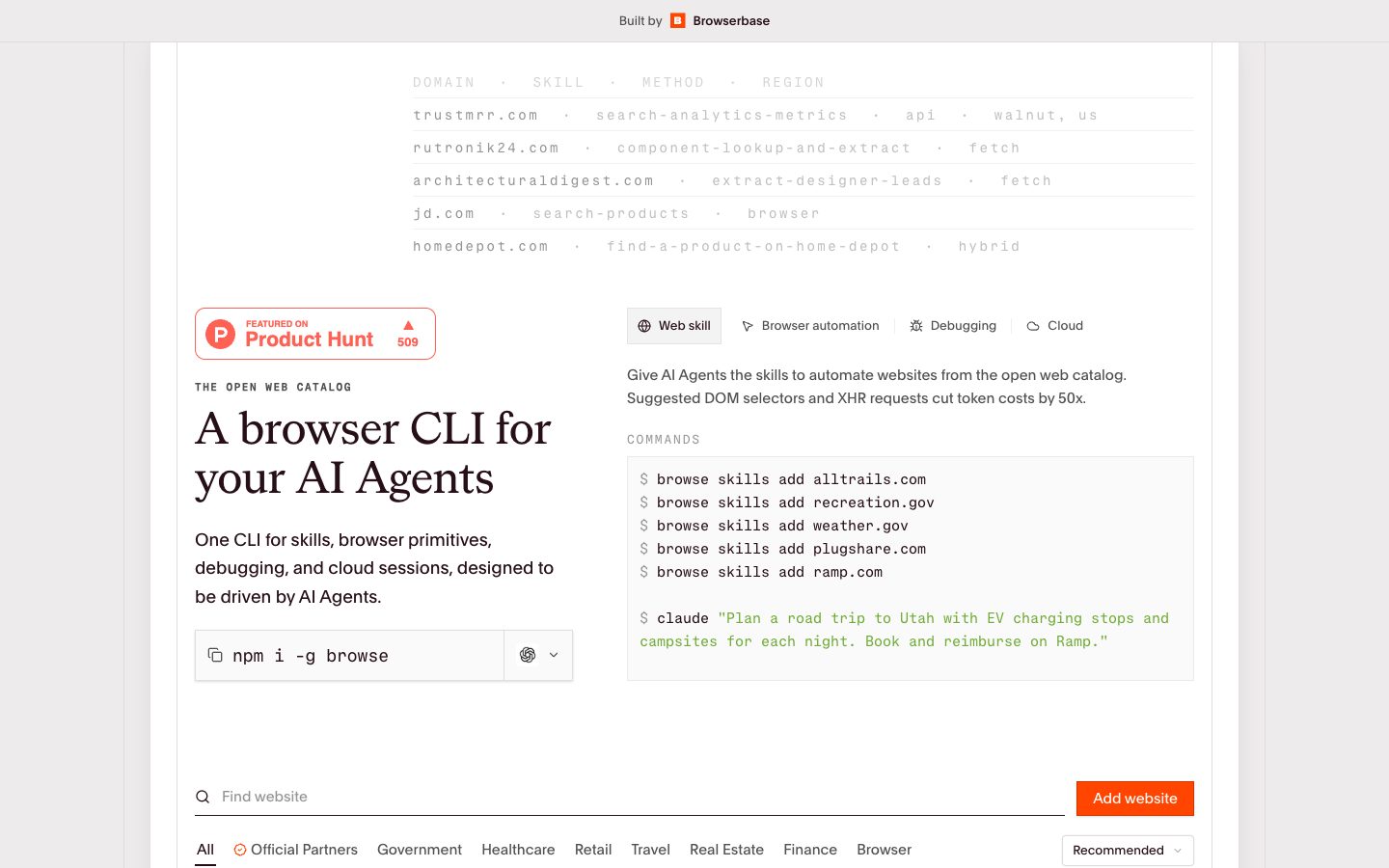
Browse.sh is an open catalog and command-line browser for AI agents. Install the browse CLI to add website-specific skills, drive local Chromium with low-level browser primitives, inspect network and console output, and use remote sessions on Browserbase’s platform by prefixing commands with cloud. It is a developer-controlled browser layer rather than a general-purpose chatbot or no-code scraper.
✨ Key Features
- Open web skill catalog — Search the catalog and add reusable skills for specific websites, including suggested DOM selectors and XHR requests.
- Local Chromium control — Open pages and use commands such as click, type, select, press, hover, scroll, and screenshot against selectors or accessibility references.
- Agent-friendly CLI — Let an AI agent compose repeatable browser commands while keeping the browser interaction visible and scriptable.
- Network and console debugging — Tail requests and browser-console output in real time to inspect page behavior, API responses, warnings, and errors.
- Cloud session switching — Prefix commands with
cloudto create and operate remote Chromium sessions on Browserbase’s platform. - Cloud search and fetch — Use the cloud mode’s Search and Fetch APIs for web retrieval without manually driving a page for every lookup.
- Website-specific recipes — Add a skill for a domain and use its documented selectors, endpoints, parameters, and workflow notes as agent context.
- Browser primitives for complex flows — Combine navigation, form filling, clicking, screenshots, and accessibility references when a normal API is unavailable.
- Open-source installation — Install the CLI with
npm i -g browse; the public site documents commands and catalog usage rather than requiring a hosted dashboard for local automation.
💳 Pricing
- Local CLI and open catalog — The reviewed public pages document free installation and open catalog usage, but do not publish a paid plan table or a complete hosted-service price list.
- Cloud sessions — Browse.sh documents remote Browserbase sessions, Cloud Search, and Cloud Fetch, but the reviewed Browse.sh pages do not state the applicable Browserbase subscription, session, proxy, or API rates.
Pricing note — Treat local CLI usage and cloud infrastructure as separate cost surfaces. Confirm current Browserbase pricing, quotas, authentication requirements, proxy costs, and retention terms before using remote sessions in production; no free hosted commitment is asserted here.
⚖️ Alternatives Compared
| Product | Best for | Public pricing | Key difference |
|---|---|---|---|
| Browse.sh | AI-agent-driven CLI browser workflows and website skills | Local CLI publicly documented; cloud pricing not listed on reviewed pages | Combines a skill catalog, low-level CLI commands, debugging output, and a Browserbase cloud switch |
| Playwright | Programmable browser testing and automation | Open-source library; hosting is separate | Provides a mature code API for Chromium, Firefox, and WebKit rather than Browse.sh’s skill catalog and agent-oriented CLI |
| Browser Use | Natural-language web agents and managed browser infrastructure | Public site offers cloud products; verify current plans | Centers on goal-driven AI browser agents and hosted capabilities, while Browse.sh exposes command primitives and reusable skills |
🎯 Use Cases
- Repeatable website workflow — Add a domain skill, then let an agent execute documented selectors and browser commands for a recurring task.
- UI-only automation — Fill forms, click through multi-step interfaces, and capture screenshots when the target site has no usable API.
- Browser debugging — Reproduce a failing interaction while tailing network requests and console errors to locate the actual page problem.
- Agent tool development — Give an AI agent a small, composable CLI surface for navigation, interaction, and page inspection.
- Remote Chromium execution — Move a local command sequence to a Browserbase cloud session when remote infrastructure is required.
- Web research retrieval — Use Cloud Search or Cloud Fetch for lookup and page retrieval, reserving interactive browser control for pages that need it.
- Skill catalog maintenance — Package selectors, XHR details, parameters, and workflow notes for a website so future agent runs need less discovery.
Browse.sh Website Overview
Browse.sh has an Ahrefs Domain Rating of 30 and falls within Cloudflare Radar's global top 200,000 popularity bucket. This bucket is unordered, and neither signal represents actual visits.
- Domain rating
- 30
- Popularity position
- Top 200,000
- Primary category
- Unavailable
- Ranked locations
- 0
Ahrefs
Cloudflare Radar
Cloudflare Radar
Cloudflare Radar
Website categories
No category data is available yet.
Top locations by rank
No location ranking is available yet.
Data coverage
Free popularity and domain-authority signals only; no estimated visits or engagement metrics are shown.
Sources: Domain Rating by Ahrefs · Cloudflare Radar · Oct 18, 2026. Cloudflare Radar data is licensed under CC BY-NC 4.0.
Similar tools
WorkClaw
FreeWorkClaw is a collaborative AI-coworker platform built on OpenClaw where teams deploy custom AI agents that work 24/7 across Slack, email, and 3,000+ apps;
OpenInterpreter
FreeProvider-agnostic AI agent for terminal coding and desktop work across files, apps, browsers, documents, and spreadsheets
OpenClaw
FreeSelf-hosted AI assistant and gateway connected to chat channels and tools
Allyhub
FreemiumAI agents for browsing, research, analysis, reporting, and recurring workflows
CrewAI
FreemiumOpen platform for building, deploying, and scaling multi-agent AI systems