
Google Sheets AI
PaidGemini-powered spreadsheet creation, analysis, formulas, charts, and data actions in Google Sheets
About
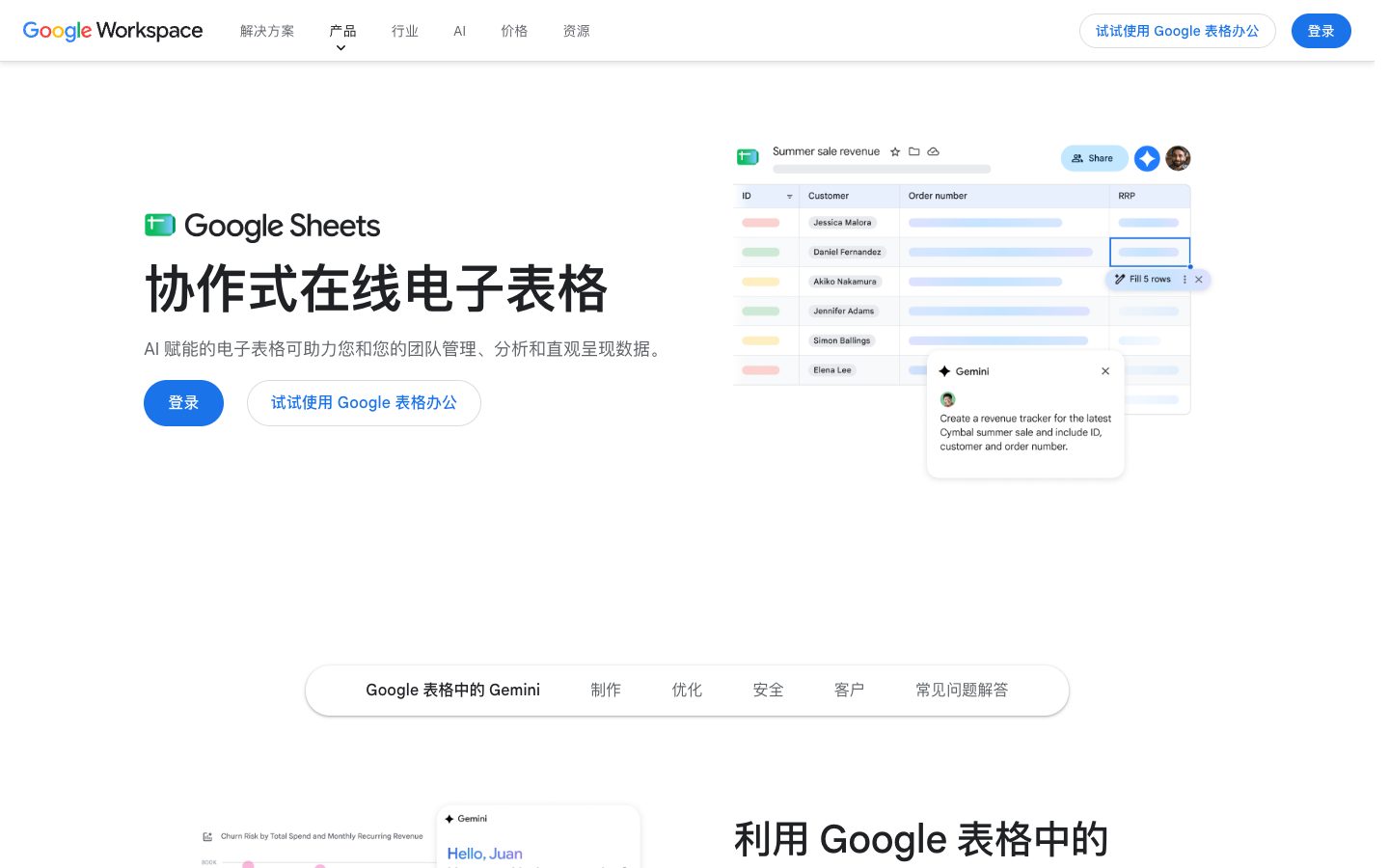
Google Sheets AI refers to Gemini features built into Google Sheets, rather than a separate standalone product. Google’s official documentation says Gemini in Sheets can create tables and formulas, analyze data, generate charts and graphs, summarize information, and perform spreadsheet actions such as conditional formatting, pivot tables, filters, dropdowns, sorting, and number formatting. It can also build or edit an entire spreadsheet from a prompt, use selected tabs or added sources, export a response to Google Docs, and fill columns with AI. The AI features require an eligible Google Workspace or Google AI plan, and availability depends on account, language, admin settings, and feature rollout.
✨ Key Features
- Prompt-based spreadsheet building — Ask Gemini to create a new sheet or complete end-to-end tasks in an existing sheet.
- Table creation — Generate structured tables from a natural-language request and insert them into the spreadsheet.
- Formula generation — Describe a calculation and have Gemini suggest a formula for the selected cells.
- Data analysis and insights — Ask questions about spreadsheet data and review trends, patterns, and suggested analysis steps.
- Chart and graph generation — Create visualizations from the data and preview or copy the resulting chart.
- Text generation and summarization — Generate or summarize text based on selected spreadsheet data.
- Categorization and sentiment analysis — Classify rows or analyze sentiment through the AI function.
- AI column and Smart Fill — Fill a table column or extend incomplete values using context from existing rows.
- Prompt-driven spreadsheet actions — Apply formatting, create pivot tables, manage filters, add dropdowns or checkboxes, and edit rows and columns with a prompt and preview.
- Web search and connectors — Ask for current information using Google Search or import data through supported connectors.
- Google Workspace handoff — Insert generated content into Sheets or export a Gemini response to a new Google Doc.
💳 Pricing
Google Sheets has a free consumer version. The Gemini functions described in this entry require an eligible Google Workspace or Google AI plan; account eligibility, rollout, region, language, and administrator settings affect access. Check the applicable paid plan or explicitly offered experimental access before using these AI features.
⚖️ Alternatives Compared
| Product | Best for | Public pricing | Key difference |
|---|---|---|---|
| Google Sheets AI | AI-assisted work inside collaborative spreadsheets | Sheets has a free version; Gemini requires an eligible plan | Works directly with Sheets formulas, cells, tabs, charts, permissions, and Google Workspace handoff |
| Airtable AI | AI fields and structured relational workspaces | Free and paid options; see official pricing | Database-like bases and records are the primary structure rather than spreadsheet tabs |
| Notion AI | AI-assisted documents and knowledge work | Free and paid options; see official pricing | Combines documents, databases, and workspace search instead of spreadsheet-first analysis |
| Pandas AI | Programmatic data analysis with natural language | Free and paid options; see official pricing | More code/dataframe-oriented and better suited to reproducible Python analysis |
🎯 Use Cases
- Spreadsheet setup — Create trackers, planning tables, and structured sheets from a prompt.
- Formula assistance — Generate or explain formulas for calculations that would otherwise require manual lookup.
- Business reporting — Summarize a table, identify trends, and build charts for a decision meeting.
- Data cleaning — Categorize rows, fill columns, find duplicates, and apply consistent formatting.
- Operations workflows — Create dropdowns, filters, pivot tables, and record-level actions from natural language.
- Marketing analysis — Analyze campaign data, classify feedback, and create visual summaries.
- Research synthesis — Organize collected data and use selected sources or web search for context.
- Collaborative handoff — Insert results into Sheets or export an explanation to Google Docs for review.
Google Sheets AI Website Overview
Google Sheets AI has an Ahrefs Domain Rating of 100 and ranks #1 in Cloudflare Radar's global popularity data. These indicators describe domain authority and relative popularity, not actual visits.
- Domain rating
- 100
- Popularity position
- #1
- Primary category
- Search Engines
- Ranked locations
- 0
Ahrefs
Cloudflare Radar
Cloudflare Radar
Cloudflare Radar
Website categories
Top locations by rank
No location ranking is available yet.
Data coverage
Free popularity and domain-authority signals only; no estimated visits or engagement metrics are shown.
Sources: Domain Rating by Ahrefs · Cloudflare Radar · Oct 18, 2026. Cloudflare Radar data is licensed under CC BY-NC 4.0.
Similar tools
Observable
FreeCollaborative computational notebooks for analysis, visualization, and data apps
Deepnote
FreemiumCollaborative data notebooks with AI, integrations, and deployable data apps
PandasAI / Annie
FreemiumOpen-source conversational data analysis and a separate paid Annie dashboard with a trial
Portable Picks
FreeCurated portable-device discovery, specification comparisons and benchmark information
Medallia
PaidEnterprise customer and employee experience analytics with feedback and follow-up workflows