
About
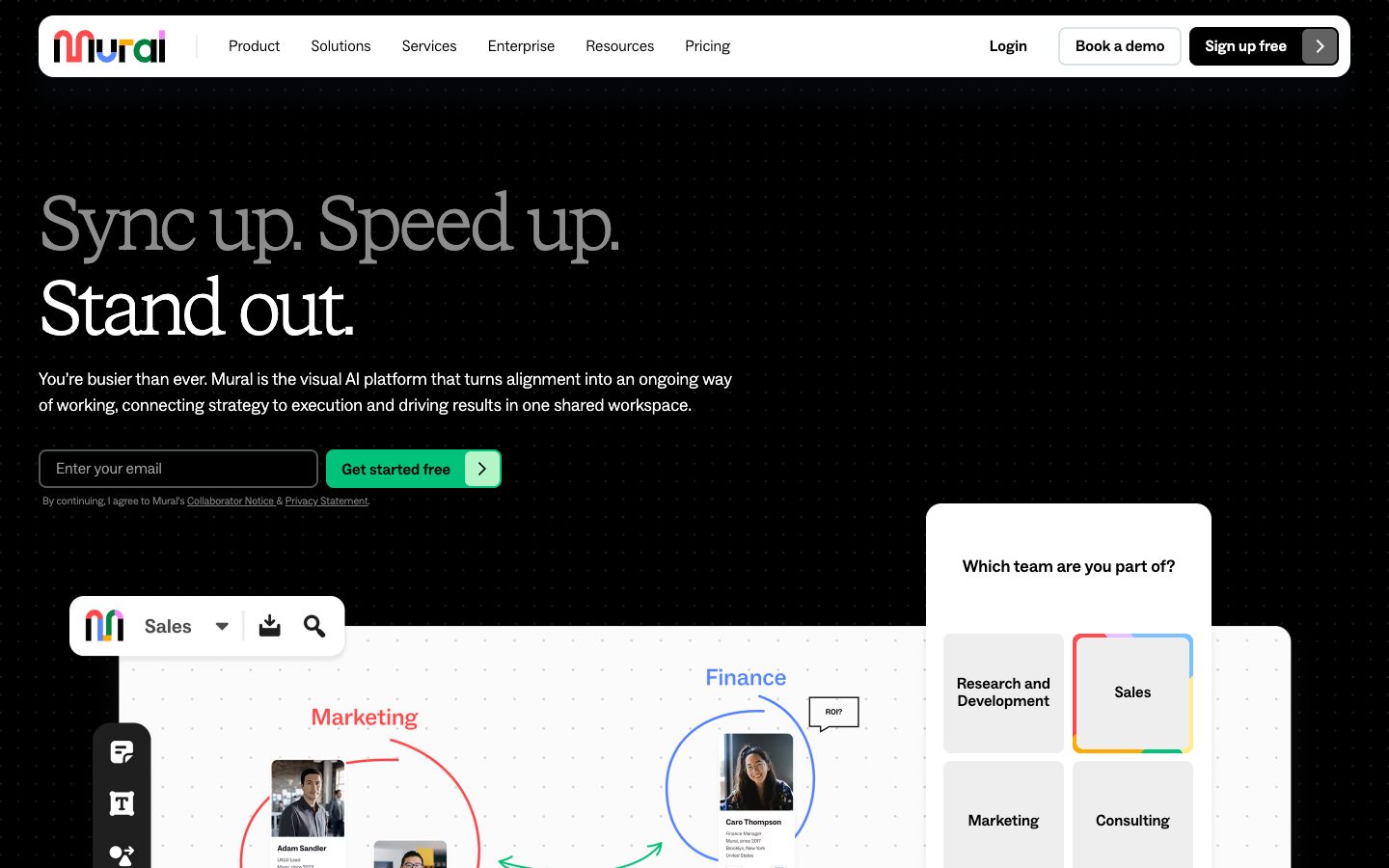
Mural is a visual collaboration platform built for shared work sessions and facilitated problem solving. Teams use flexible infinite or resizable canvases, sticky notes, diagrams, templates, reactions, voting, private mode, timers, and presentation controls to move from ideas to decisions. Mural AI is available on Team+, Business, and Enterprise plans and can cluster sticky notes, generate mind maps, summarize canvas content, and support guided visual workflows. Mural also provides rooms, workspaces, integrations, mobile and desktop apps, enterprise governance, and flexible visitor access. Its differentiator is structured facilitation and visual alignment rather than a generic AI chat interface.
✨ Key Features
- Flexible visual canvas — Use infinite or resizable canvases for collaborative sessions.
- Sticky notes, text, drawings, images, and icons — Capture ideas and feedback in a shared workspace.
- Templates and content library — Start with hundreds of templates or reuse saved diagrams and objects.
- Mapping and diagramming — Visualize workflows, relationships, customer journeys, and team decisions.
- Facilitation controls — Use timers, summon, facilitator lock, outline/instructions, hide/reveal, and custom toolbar controls.
- Voting and private mode — Prioritize options or collect input anonymously while reducing groupthink.
- Comments, reactions, and sharing — Communicate asynchronously and distribute murals through links.
- Mural AI clustering — Automatically group sticky notes by topic or another criterion.
- Mural AI mind maps and summaries — Generate mind maps and summarize canvas content where AI is enabled.
- Rooms and workspaces — Organize murals across open/private rooms and workspaces according to the plan.
- Integrations and apps — Connect tools such as Microsoft Teams, Zoom, Webex, Jira, Google Workspace, Slack, Adobe Creative Cloud Library, and more.
- Enterprise access and security — Support SSO, SCIM, audit logs, 2FA, data residency, BYOK, privacy controls, and reporting APIs on applicable plans.
💳 Pricing
- Free — $0 for unlimited members; unlimited murals with 3 editable murals at a time, unlimited view-only visitors, open rooms, and core visual collaboration and facilitation features.
- Team+ — $9.99/member/month billed annually or $12/member/month billed monthly; unlimited editable murals, unlimited visitors with editing rights, private rooms, Mural AI, and basic integrations.
- Business — $17.99/member/month billed annually on the reviewed pricing page; Team+ features plus SAML 2.0 SSO, unlimited external users, advanced integrations, LUMA frameworks, invoice payment, and priority support.
- Enterprise — Custom pricing; multiple workspaces, enhanced privacy, advanced security and administration, SCIM, audit logs, downloadable reports, reporting APIs, required 2FA, data residency, BYOK, premier support, and expert collaboration training.
Mural says one-time collaborators can participate as free visitors, while seat requirements and guest rights vary by plan. Mural AI is currently included on Team+, Business, and Enterprise plans with unlimited use subject to fair-use controls; the company may change this as the feature evolves. Confirm taxes, billing interval, visitor permissions, AI availability, and enterprise terms before purchase.
⚖️ Alternatives Compared
| Product | Best for | Public pricing | Key difference |
|---|---|---|---|
| Mural | Facilitated workshops and visual alignment | Free; Team+ from $9.99/member/mo annual; Business from $17.99/member/mo annual; Enterprise custom | Strong facilitation controls, rooms, templates, voting, and AI-assisted visual sessions |
| Miro | Broad visual workspace and connected canvas work | Free and paid plans; see official pricing | More expansive canvas formats, integrations, and AI workflows, while Mural emphasizes facilitation |
| FigJam | Collaborative whiteboarding connected to design teams | Free and paid plans; see official pricing | Tighter connection to Figma design files and product design workflows |
| Lucidspark | Diagramming and collaborative ideation | Free and paid plans; see official pricing | Stronger diagramming and Lucid suite connection, with a different facilitation model |
🎯 Use Cases
- Design thinking workshops: Run structured ideation, clustering, voting, and prioritization.
- Product discovery: Map customer journeys, stakeholders, opportunities, and hypotheses.
- Retrospectives and team meetings: Facilitate agendas, collect input privately, and turn outcomes into next steps.
- Strategic planning: Build roadmaps, frameworks, decision maps, and alignment artifacts.
- Sales discovery and consulting: Visualize customer needs and collaborate with clients or partners.
- Remote and hybrid collaboration: Replace physical whiteboards with guided asynchronous or live sessions.
- Research synthesis: Cluster interview notes, identify themes, and summarize a shared canvas.
- Training and workshops: Use templates, timers, participation controls, and presentations for learning sessions.
Mural workspaces can contain customer research, strategy, personal information, or confidential workshop content. Review visitor links, room privacy, permissions, AI data handling, retention, SSO/SCIM, and enterprise residency requirements before sharing sensitive murals.
Mural Website Overview
Mural has an Ahrefs Domain Rating of 82 and falls within Cloudflare Radar's global top 50,000 popularity bucket. This bucket is unordered, and neither signal represents actual visits.
- Domain rating
- 82
- Popularity position
- Top 50,000
- Primary category
- Unavailable
- Ranked locations
- 0
Ahrefs
Cloudflare Radar
Cloudflare Radar
Cloudflare Radar
Website categories
No category data is available yet.
Top locations by rank
No location ranking is available yet.
Data coverage
Free popularity and domain-authority signals only; no estimated visits or engagement metrics are shown.
Sources: Domain Rating by Ahrefs · Cloudflare Radar · Oct 19, 2026. Cloudflare Radar data is licensed under CC BY-NC 4.0.
Similar tools
Indeed AI
FreemiumAI-assisted recruiting with paid Smart Sourcing and eligible free job posting.
DocuAsk
FreemiumAI document assistant for asking questions, comparing, searching, and summarizing PDFs
TextCortex
FreemiumTextCortex is your creative companion, harnessing the power of AI to revolutionize the way you create, communicate, and collaborate.
REZI
FreemiumATS-focused AI resume and career-document builder with keyword targeting, interview practice, and job-search tools
Linguix
FreemiumAI writing assistant for multilingual grammar, paraphrasing, shortcuts, and team style consistency